How can I update my availability and rates?
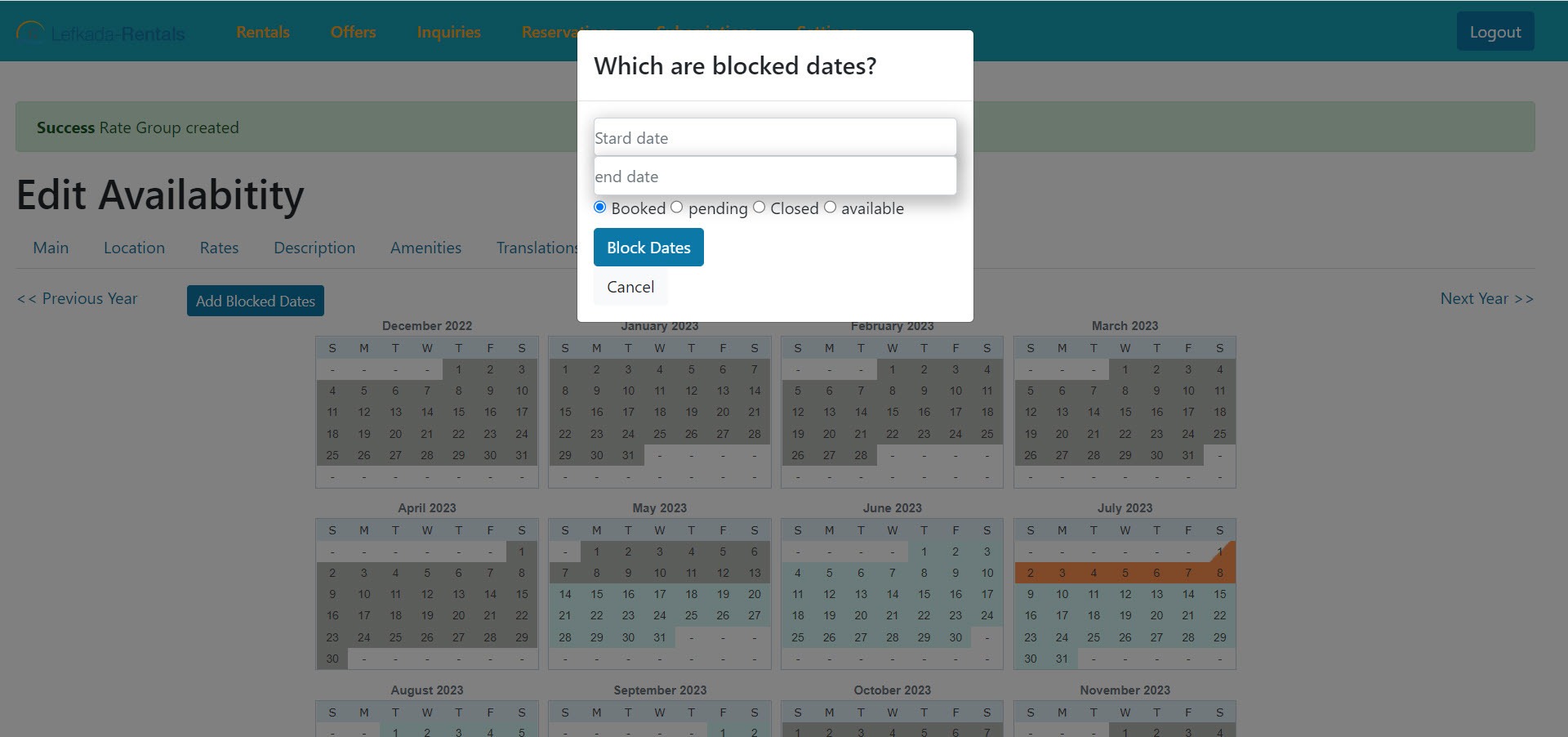
You can easily update your availability calendar (Available dates, Closed, Booked and Tentantive) on every rental by selecting the “Calendar” tab.

Then, you can just click the button “Add New Price” and fill in the pop up window the dates, the price of the period and the minimum stay for the period you wish to edit.
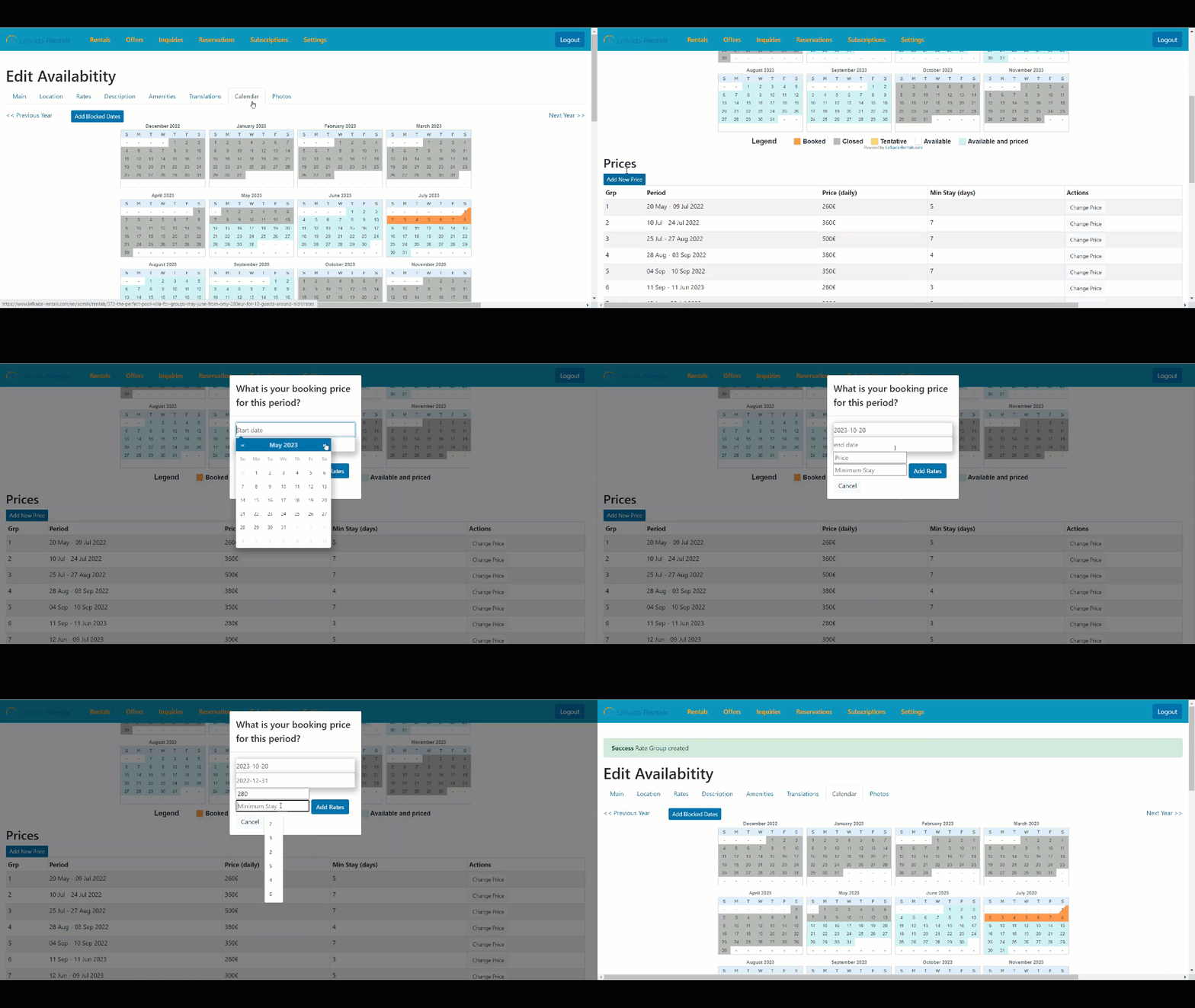
You click “Add Rates“. After this process your rates has been stored. Then you are ready to press “Add New Price” for the next period you would like to add rates.
In case you wish to re-enter the previous years rates, there is available a brand new feature can definitely save you time 👍
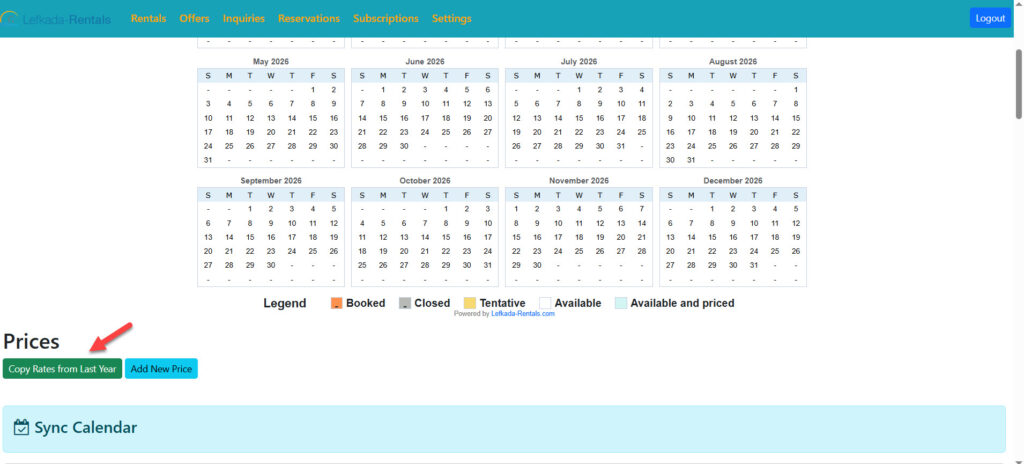
Using the “Copy Rates from Last Year” button is usually the quickest way to:
- Keep pricing consistent
- Avoid manual re-entry errors
- Speed up annual updates
Just remember to review the copied prices for any changes in rates before finalizing.
If you want to set the blocked, pending or closed dates, press “Add Blocked Dates” and complete the period you with any status apply for these dates. The options are “Blocked”, “Pending”, “Closed” or “Available” and then press the button “Block Dates”. In order to Save the information you should press again “Update Rental”.